
ANPR cameras
Automatic number plate recognition at entry and exit.
P In4 CloudParking · Parking Management
In4 CloudParking pairs ANPR cameras with automatic boom barriers, so every vehicle is recorded at entry and exit and every charge is worked out from the exact time parked.
How it works
What happens to a vehicle from the moment it reaches your gate until the barrier closes behind it.

The entry ANPR camera reads the number plate as the vehicle pulls up.
Check-in time is recorded, a QR token or welcome message appears and the barrier lifts.
Duration and charges are tracked in real time; overstays raise an alert.
Exit ANPR finds the vehicle, the fee is shown and the barrier opens once it is paid.
Why switch
Slips get lost, cash tills don't match and nobody knows which level is full. In4 CloudParking replaces all of it with cameras, barriers and one live dashboard.
Choose your flow
All three use ANPR cameras, boom barriers and real-time dashboards. The difference is how much your staff do at the exit.
Staff-managed exits with QR tokens and manual payment collection.
Automatic detection and app notifications, with staff still collecting payment.
Complete automation with self-service payment kiosks and whitelisting.
Run it from one place
Revenue
Every charge comes from the camera's check-in and check-out time, so nothing is counted by hand and no slip goes missing.
Hardware
ANPR cameras, boom barriers, payment kiosks, welcome displays and the In4 CloudParking app work together with your existing facility systems.
Rules
Whitelist VIP vehicles, waive fees for guests, restrict blacklisted plates and get alerts for overstays, applied right at the gate.
Features
Everything In4 CloudParking does at the gate, at the desk and on the dashboard.
Automatic number plate recognition at entry and exit.
Entrance and exit gates respond automatically.
A unique token with the plate's check-in time.
Custom messages on an Android TV at entry and exit.
Notifications and stay-duration popups with charges.
Self-service exit by mobile wallet or card.
Whitelist VIPs, waive guests, restrict blocked plates.
Occupancy, fees and vehicle tracking in real time.
Live dashboard
Free bays, collections and every plate in and out, updated as it happens.
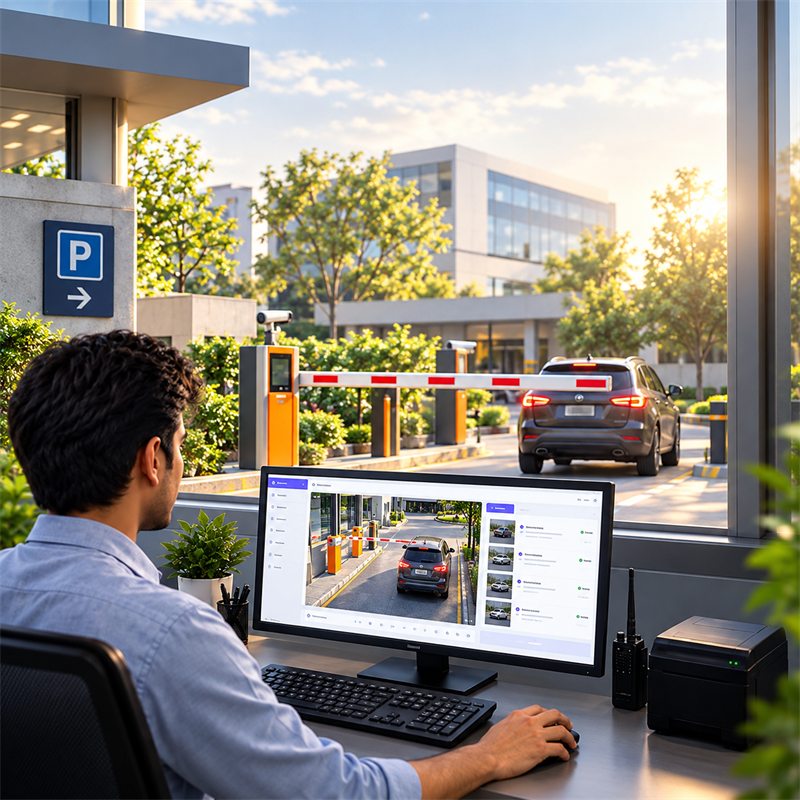
At the gate
In4 CloudParking connects ANPR cameras, kiosks, boom barriers, mobile apps and your existing facility systems.
Parking

Paid parking with fast, slip-free exits.

Patients and visitors park without stress.

Employee, guest and VIP bays, sorted.

A self-service flow, round the clock.

Residents whitelisted, guests recorded.

Self-service parking at city scale.
Getting started
Our team plans the rollout around your site and stays with you after launch.
We study your gates, lanes, levels and peak traffic.
Cameras, barriers, kiosks and displays fitted and connected.
Rates, flows, VIP and guest rules set up and tested.
A dedicated team for maintenance and updates.
FAQ
Can't find your question? Call us and talk to the team that installs it.
+91 89258 14088It depends on how much you want staff involved. The Automated Flow keeps staff at the exit, the Semi-Automated Flow reduces their workload and the AI Automated Flow runs without them. We recommend one after seeing your site in the demo.
No. Plates are read by the ANPR cameras. Depending on the flow, drivers take a QR token, pay at the desk or pay at a self-service kiosk.
In4 CloudParking works with ANPR cameras, boom barriers, payment kiosks, mobile apps and existing facility management systems. Our team confirms compatibility with your hardware during the demo.
Yes. VIP vehicles can be whitelisted, guests can be given fee waivers and blacklisted plates can be restricted at the gate.
From the check-in and check-out times recorded by the cameras, so every fee matches the exact time parked, with no manual counting.
It depends on your number of gates and the hardware involved. We share a clear rollout plan after understanding your setup.